

Google adds split-screen AI Mode to Chrome for research

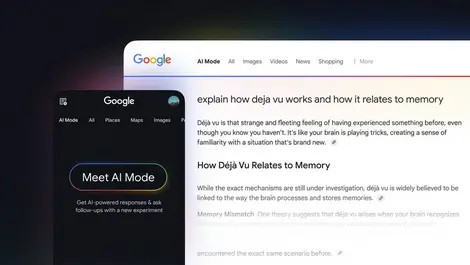
Google has added a split-screen AI Mode to Chrome. The update is now available on desktop and mobile in the United States.
On desktop, users can keep an AI chat visible beside a webpage after clicking a link in AI Mode, instead of opening the page in a separate tab and leaving the conversation behind. A new menu also lets users pull recently opened tabs into a query so the system can examine several pages at once.
Workflow design
The split-panel layout is designed for web research, shopping comparisons and article reading while users continue asking follow-up questions. Someone can open a retailer page or news story and keep the AI discussion in view, reducing the need to switch back and forth between tabs.
The new "plus" menu appears in the search box on Chrome's New Tab page and within AI Mode. It lets users add recent tabs directly into a prompt and also accepts other inputs, including images and local files such as PDFs.
Expanded inputs
Google's Canvas and image-generation tools are available through the same menu, allowing a single query to combine material from open pages, uploaded documents and images.
Research push
The release extends Google's recent effort to build more AI functions into Chrome rather than keeping them in a separate search experience. The browser has already gained Skills in Chrome for saving reusable prompts, vertical tabs and an Auto Browse agent feature for users with Google AI Pro and Ultra subscriptions.
Together, those additions reflect a broader push to make Chrome part of the AI workflow for search, reading and comparison tasks. The latest changes take that further by keeping conversational search beside live web content and expanding the range of material that can be examined together.
At a media roundtable, Google said the split-screen feature is meant to "help people dive deeper into topics while searching AI Mode alongside the web, all without losing their place or needing to switch between tabs."
Memory impact
The multi-tab search feature may also increase the computing load on a user's device. After hands-on testing, Tom's Guide reported that linking 10 active tabs together could add 2 to 4 gigabytes of RAM usage before the AI model begins processing the request.
That suggests the experience could be more demanding on machines with limited memory, especially for users who already keep many browser tabs open. The added cost may be a practical issue on older laptops or lower-spec devices, even as the feature offers a more integrated way to gather information from several sources.
US rollout
For now, the rollout is limited to the US version of Chrome on desktop and mobile. A global expansion will come later.